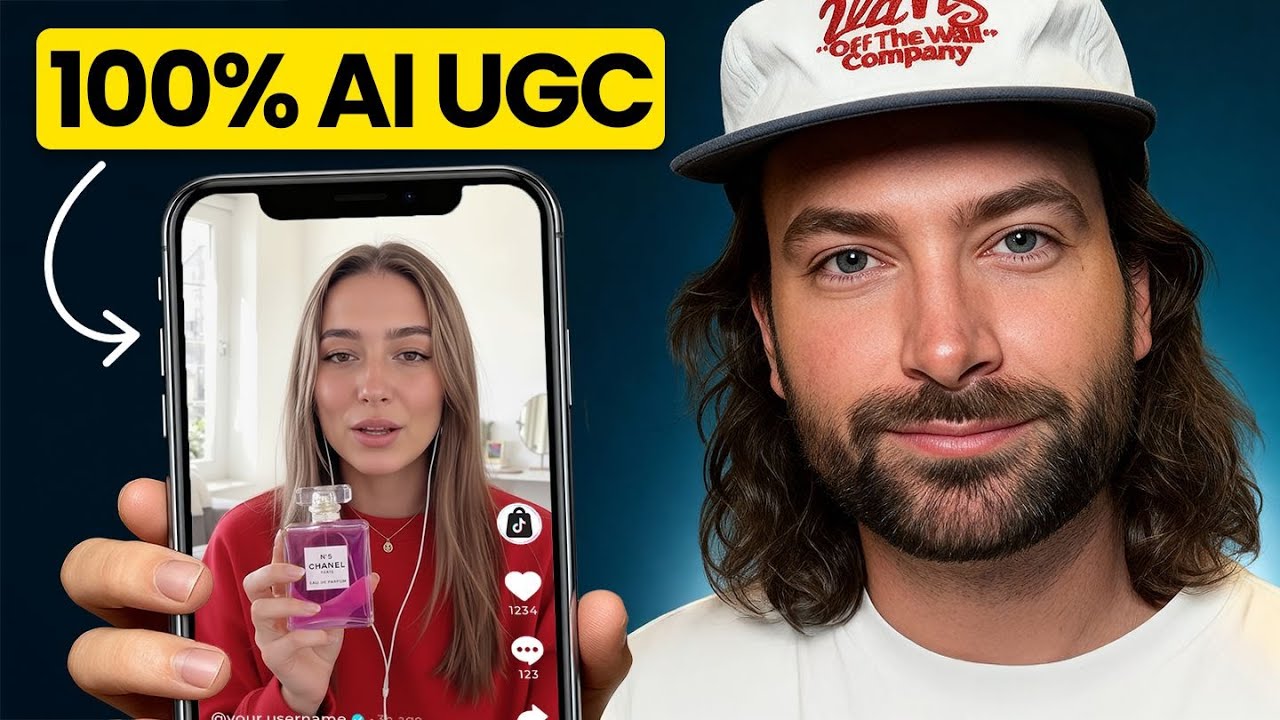
How to Make Realistic AI UGC Ads (Without the Plastic AI Look)
Most AI UGC ads fail the same way: they look like AI. The skin is too smooth, the teeth are too perfect, the room is too tidy, the voice is too clean. The viewer does not always know why they scroll past. They just feel something is off, and they move on.
Here is what changed in 2026, and how working AI ad creators are building UGC that passes the scroll test right now.
What "AI UGC" actually means
UGC stands for user-generated content. Real UGC looks unpolished by definition. Someone in their bedroom with a phone, talking about a product they just bought. The quality is supposed to be a little bad. That is the whole point.
One distinction that trips people up: influencers are not UGC creators. An influencer posts sponsored content to their own audience. A UGC creator makes content that a brand runs as an ad, and they need no audience at all. That is exactly why AI UGC works as a business. There is no product to ship to a creator, no week of waiting for footage, and no following required. Your only real constraint is that the video has to earn attention on its own, because no audience relationship is carrying it.
When you generate UGC with AI, you also have the opposite problem of every other AI video task: you do not want the highest possible quality. You want the right quality. If your output is sharper and cleaner than a phone video, it stops feeling real.
The talking head is a trap
The default AI UGC format is a character holding the product and talking at the camera. It is also the weakest format, because it is what everyone makes.
The formats that outperform it mostly do not show a face at all: day-in-the-life clips, problem-and-solution setups, POV shots, get-ready-with-me, reaction videos, voiceover demos, hauls. Count them up and the faceless formats outnumber the on-camera ones. When the creator never appears, the story has to carry the video, and stories are what people actually watch. Merge formats, or invent your own.
The reference sheet system
The current professional workflow is built on reference sheets, not on luck. Before you generate a single video, you build:
A character sheet. Start from one hero image of your character, then generate a sheet showing them from multiple angles. One detail that separates pros from beginners: on the full-body views, crop the heads out. If the sheet shows the model several slightly different versions of the same face, it will drift between them. Give it one face that matters.
A product sheet. Every side of the product: front, back, top, bottom, the closeups that matter. And nothing else. The most common mistake is stuffing the sheet with ingredient lists and lifestyle notes. The video model does not need any of that, and extra objects on a reference sheet have a way of showing up in your video uninvited.
Everything downstream inherits its consistency from these sheets. Weak sheets, drifting character. Strong sheets, same person in every cut.
What Seedance 2.5 changed
The video model at the center of most working UGC pipelines right now is Seedance, and the 2.5 release in August 2026 removed the two biggest limitations this workflow had. Rourke walks the full workflow on video here:
30-second generations. A single generation can now run 30 seconds. Earlier this year the practical ceiling per clip was a fraction of that, and creators stitched short clips together with frame-matching tricks. For a standard UGC ad, the stitching era is over. You write one prompt with the timing of each beat spelled out, and you direct the whole ad in one generation.
Up to 50 references per prompt, including video and audio. You attach the character sheet, the product sheet, and now a voice reference. Voice drift between generations used to be the thing nobody could fix. Uploading a reference voice largely solves it.
For ads longer than one generation, split the script into parts and attach the same references to every part. Same face, same product, same voice, across every segment.
Two practical notes that save hours. First, always write the exact sentence you want spoken. Seedance is a Chinese model, and left unscripted it can drift languages entirely. Second, do not bake on-screen text into the generation. The font and text animation change between generations. Add text in your edit instead.
The realism checklist
Realism is mostly a list of small decisions. The ones with the most impact:
Show teeth. If every reference has a closed mouth, the model renders a perfect fake smile the first time it opens. Visible, real-looking teeth in your references fix this.
Light-colored eyes read as alive. Dark, flat eyes are where AI characters go soulless. It sounds strange and it is consistently true.
Give the character imperfections. A stray hair they brush away, visible pores, freckles. Attractive is fine. Flawless is fatal.
Give the room imperfections too. Lived-in clutter, not staged minimalism. Real kitchens have things on the counter.
Small human motion. Blinks and hand gestures amplify realism more than any resolution setting.
Use an accent. A plain neutral voice is where AI sounds most AI. A German, Scottish, or Spanish accent makes the same generation read as human. This is the cheapest realism win on the list.
If you watch your ad and think "this looks shot," you got it. If you think "this looks generated," dirty it up and go again.
Realism is only step one
Here is the hard pill: you can nail everything above and the ad still flops, because viewers increasingly do not care whether something is AI. They care whether it is worth watching.
The hook is the first one to two seconds. It used to be three; attention spans keep shrinking. With AI, the hook is limited by imagination rather than budget, so there is no excuse for opening on a person holding a product and saying hello. A character falling through the ceiling costs the same as a character standing still.
Then the story. What are you actually saying, and why would a stranger care? A slightly AI-looking video with a funny, smart idea beats a flawless one with nothing to say, every single time. Do not spend a week polishing realism on a script that was never interesting.
The next step: ads that improve themselves
The frontier of this workflow is automation. Using Claude with the Higgsfield MCP, you can set up a pipeline that generates ad imagery and video from a product brief, and then improves itself: you tell it which outputs worked, which did not, and why, and it folds that feedback into the next round. The more you run it, the better your outputs get.
Rourke published a full free walkthrough of this system, including the setup for non-technical creators. If the manual workflow above is where you start, the self-improving pipeline is where this is heading:
What this costs
As of August 2026, top-end generation is not cheap: a single 30-second Seedance 2.5 generation can run tens of dollars in raw compute, and a real ad takes multiple takes. Most working creators get access through platform subscriptions that bundle the major models rather than paying per generation. Budget for iteration, not for one perfect take.
Common questions
What is the best AI video tool for UGC ads right now?
As of August 2026, most working UGC pipelines are built around Seedance 2.5 for video, because of its reference system: up to 50 attached references per prompt, including character sheets, product sheets, and voice. Image models get picked per job, one strength for realistic base images, another where text accuracy matters. The honest answer is that this changes monthly, which is exactly why the publish date on any guide you read matters.
Why does my AI UGC look fake even with a good model?
Because you are prompting for quality when the format calls for authenticity. Phone-camera context, imperfect characters, imperfect rooms, visible teeth, an accent. The model gives you what you ask for. Ask for real, not for perfect.
How do I keep the same character across every shot?
Reference sheets. One hero image becomes a character sheet, attached to every generation. With audio references now supported, the same discipline applies to the voice: one reference, attached every time.
How long should an AI UGC ad be?
Single generations now run up to 30 seconds, which covers most UGC formats in one pass. For 60-second ads, split the script into parts and attach identical references to each part so nothing drifts.
Is AI UGC actually working as ads?
Yes, when it does not announce itself as AI, and when the underlying ad is good. AI removes the production bottleneck: you can test twenty hooks in the time a human shoot tests one. It does not remove the need for a real offer and a real story. It is a faster way to run the same game, not a different game.
Where to go deeper
This is the framework. The execution detail lives inside GenHQ, our paid community for working AI creators: the full UGC module with the exact prompt structures and sheet templates, the complete Seedance 2.5 series, the model comparisons we run as new tools drop, and live Q&A sessions five times a week where this workflow gets updated as the tools change.
Ready to go deeper? Join the community.
