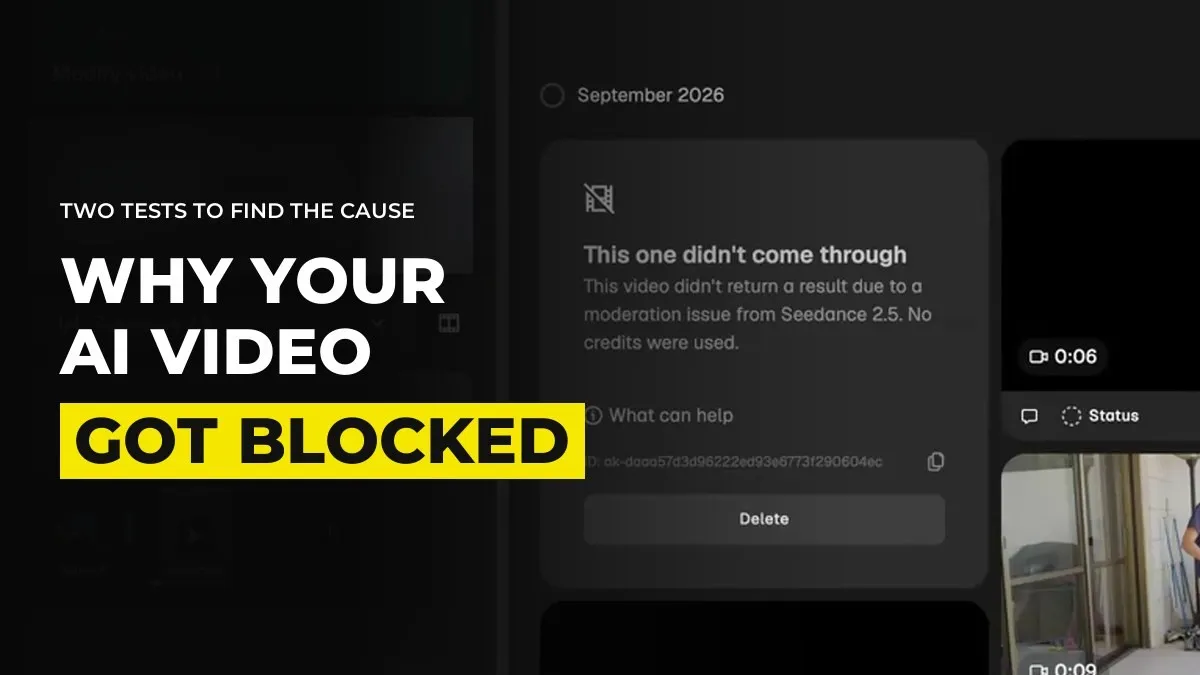
Why Your AI Video Got Blocked, and How to Find the Cause in Two Tests
You might be looking at a "generation failed" or "flagged" message on a prompt that is perfectly innocent, and you cannot tell which part tripped it. The fix is two cheap tests. Run the references with no prompt, then the prompt with no references, both at 480p. One of them will fail and the other will not, and that tells you where to look.
Most of the advice online is guessing at which word the filter hates. Testing takes ten minutes and costs very little.
Test the references on their own first
Remove the prompt, keep every image, video and audio file you attached, and generate at 480p. Make the clip as short as the platform allows, because you are only checking whether it goes through and not what it looks like.
If it is blocked, the prompt is innocent. The problem is one of your references.
If it goes through, move to the second test.
When you have four, five or ten references attached, a single one can stop everything. That is why this test comes first.
Then test the prompt on its own
Put the prompt back, take every reference off, and run it at 480p again.
If this one is blocked, the words are the issue.
If both tests pass and the full run still fails, add the references back one at a time until it breaks.
This is the same trick as finding a dead bulb on a string of lights. Split the problem in half, then in half again.
Know what usually trips the filter
These are the causes we see most, from our own generating:
Copyrighted characters and brands. A known cartoon character, a famous franchise, a recognisable logo. The platform has its own system on top of the model, and it flags these whichever model sits underneath.
Real people's faces. A photo of an actual person you do not have permission to use can stop a run.
Violence and gore. Even a nature scene with two animals fighting can be blocked. Describe the aftermath or the reaction and show less of the injury.
Shapes the checker misreads. An ordinary object in the background, a lamp for example, can look to an automatic checker like something it should not be. If an image keeps failing and nothing in it is rude, look at the background.
Music in an audio reference. A clip that has a song inside it, even a short one or a voice track with music underneath, can be flagged as copyrighted. Use a clean voice or a clean sound with no music under it.
Sometimes there is a reason you cannot see with your own eyes, and sometimes there is no reason at all. The filters make mistakes. When that is the case, change the image or the prompt slightly and run again.
Fix it by changing one thing at a time
Once you know which side is at fault, change one element per run:
Swap the suspect image for a new one in the same spirit, or crop the background out.
Reword the prompt to describe what the camera sees instead of the dramatic word. "He flinches and turns his face away" in place of the injury.
Replace the real person's face with a character sheet of your own.
Drop the audio reference and bring the voice in later.
Making ten changes at once means you will never learn which one worked, and you will hit the same wall on the next shot.
Try another platform before you give up on the shot
Each platform runs its own checks on top of the model. A shot stopped on one can pass on another with the same model, and the reverse happens too. We cover where Seedance 2.5 runs and how the restrictions differ in where to run Seedance 2.5. Treat that as the last step. First find the cause, because moving platforms with a bad reference only moves the problem.
For example, inside GenHQ we teach testing at 480p before you spend credits on 1080p, for exactly this reason. A block at 480p costs almost nothing, and one at final quality costs a lot.
Write down what you learn
Keep a running note of what got blocked and what fixed it. After a month you will have a list of your own, and it will be more accurate than anything written for everyone. The reason the same reference keeps failing is usually the one you have not written down yet.
Common questions
Why does Seedance keep saying my video is flagged?
Either a reference or a word in the prompt has tripped a check. Run the references alone at 480p, then the prompt alone, to find which.
Why was my AI video blocked when there is nothing wrong with the prompt?
The reference images, video or audio are the usual cause. A copyrighted character, a real person, a song in the audio or an object that an automatic checker misreads.
Do I lose credits when a generation is blocked?
That depends on the platform and the stage at which it was stopped, so check the platform's credit rules. Testing at 480p keeps the cost of any loss small.
Is it a copyright strike if the video gets flagged?
Not necessarily. Flags also come from mistakes and from similarity to something else. Isolate the cause with the two tests before you assume the worst.
Keep reading
The Complete Seedance 2.5 Guide: Cinematic AI Video Step by Step
Seedance 2.5 vs Kling 3.0: Which AI Video Model to Use in 2026
Where to Run Seedance 2.5: Platforms, Cost and Content Restrictions (2026)
Want help finding the cause with people doing this every day? Join GenHQ.