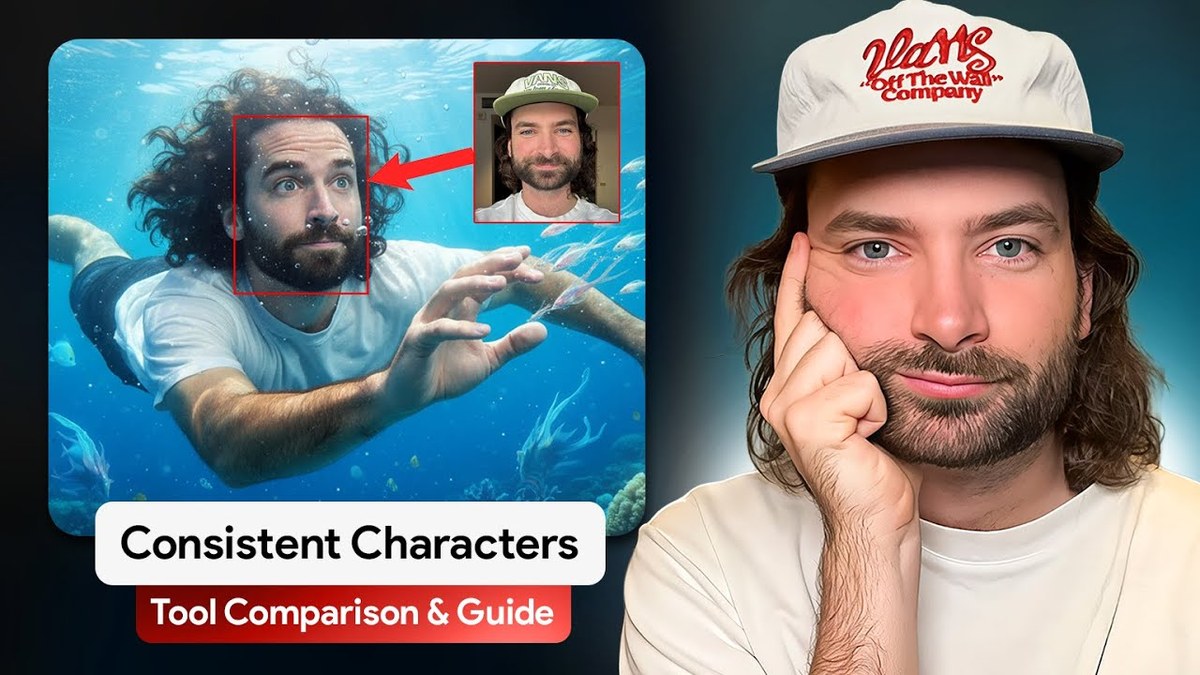
How to Keep AI Characters Consistent Across Every Shot (September 2026 Method)
Character consistency is the question I get asked more than any other, and the answer changes every few months. A year ago it meant training a LoRA on twenty selfies, or letting a tool cut your face out and paste it onto a generated body. Both still exist. Neither is how we make client work now.
The video below is the version I recorded in 2025 and the principles in it still hold: the quality of your reference decides the quality of your output, whatever you are wearing in the reference will follow you into every shot, and a single hero image can become every angle you need. The tools have moved since. This is the September 2026 method, the one we used on a Harry Potter fan project where we spent seven hours on one location sheet because it had to be right.
Consistency starts before the character
Most people go straight to generating a face. Then they wonder why shot three looks like a different film. The thing they skipped is the decision every real production makes first: what is this shot on?
Pick the camera body, the lens, the film stock, the colour temperature. Lock it early and write it down. Then find a frame from an actual film that holds that look. We use ShotDeck for this because it gives you the hex codes of the grade and the camera the shot was made on, which other reference sites do not. Build a mood board from those frames and every asset you make from here on gets built inside it. That is what makes a character, a room and a product feel like they belong to one world.
The character sheet
One reference photo is where you start, not where you finish. From it, generate front, side and back views, a close up of the face, a top down, a full body for height, the hands if they wear jewellery, and close ups of the tattoos, skin texture and eye colour. Then collage all of it into a single image with the front portrait large and the details around it. That one file goes into the prompt bar of every generation from now on.
Two things we learned the hard way. Use GPT Image 2 for the faces, because Nano Banana Pro gives skin a plastic finish. And build the sheet in the outfit the character will actually wear, because the model copies clothing from the reference. If the sheet has a white t shirt, every shot has a white t shirt.
Expect to iterate on the face itself. Our sun cream ad character went through a hat and two haircuts before he was right. Find your design references on Pinterest, then remake them your own way. You do not own someone else's design.
The product sheet
Products drift more than people do. A bottle comes out oversized in one frame and tiny in the next, and a label that reads perfectly in a close up turns to soup at distance. The fix is a product sheet: six angles on a white background in one image, front, side, back, top, bottom and any detail like a cap, plus written descriptors. Include the height and the material. A line saying the bottle is obsidian and reflects light changed our outputs more than any camera prompt did.
The location sheet
This is the underrated one and it is the most important image in your project, because the location locks the grade for everything that follows. Do not accept a flat overcast plate. Find a cinematic frame whose grading you love, and design your location inside it.
For anything longer than an ad, make it a sheet like the character: a front view of the space, the reverse angle, a 360 panorama you build by giving the model both ends, and a top down generated separately. That is the seven hour job I mentioned. With it, the camera can go anywhere in that room and it is still that room.
The rule that stops drift
Only sheets go in as references. Never the pretty editorial still you made of the character. The video model treats a styled still as a literal frame and copies it into the output. Sheets give it the information, editorial images give it a picture to trace.
Feed them in as ingredients
Here is where the method changed. Seedance 2.5 takes up to 50 references in one prompt, including video and audio, as of September 2026. So instead of building every frame by hand and animating between them, you upload the character sheet, the product sheet and the location, tag each one by name in the prompt, and let a 30 second generation hold the continuity for you. Characters stay the right distance apart across cuts. A motion that starts in one shot carries into the next.
The workflow: write the scene in a doc as a director would, about a page and a half for 30 seconds. Hand it to Claude with the sheets as context and ask for a Seedance prompt. Run it at 480p to check pacing and performance. Refine the prompt, run it three times, take the best moments from each and cut them together. Then render the keeper at 720p or 1080p. Frame by frame is the slow, cheap way and it rarely looks better. Seedance gives you happy accidents that beat what was in your head.
Voices are part of consistency now
A character who sounds different in every clip is not consistent. The fix we are using: record the line yourself or with a voice actor, or generate it once, and upload the MP3 alongside the character sheet and the location. Seedance holds that voice across generations far better than adding a voice after the fact.
Where the old methods still fit
A trained character model still makes sense if you need yourself in hundreds of stills in one platform's style. A single reference into an image model is still the fastest way to get one character into many scenes for a moodboard. The face paste approach is still the only route where you can argue it is literally the person's face, which matters for a CEO or a public figure. For finished video work, the sheet and ingredient method above is what holds.
What I have left out
The exact prompts we use to generate each sheet, the global look block that opens every Seedance prompt so a sequence feels shot on one camera, and our ranking of which models to use for which job are member material. The method above works without them. It just takes more attempts.
Common questions
What is the best way to keep an AI character consistent in video?
A character sheet with every angle in one image, a location reference with the grade you want, and both fed into Seedance 2.5 as references for a 30 second generation. Not frame by frame.
How many reference photos do I need?
One good one to start. The sheet is generated from it. If you are training a character model instead, 15 to 25 photos with the face close, the full body and a few from distance.
Why does my character's outfit keep changing?
Because it is not on the sheet, or the sheet shows a different outfit. Put the character in their costume on the sheet and give complicated garments their own product sheet.
Which image model is best for consistent characters?
GPT Image 2 for faces as of September 2026. Nano Banana Pro for locations, products and putting a character into a scene.
How do I keep the voice the same across clips?
Record or generate it once and upload the audio file with the character sheet. Seedance will hold it across generations.
Want the sheet prompts and the look block? Join the community.
